
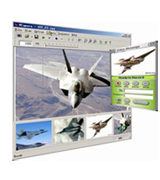
Why Choose Advanced Virtual Web Camera?
Engineered with kernel-mode DirectShow emulation, delivering high performance and hardware-level compatibility.
Multi-Stream Output
Standard webcams can only be opened by one program at a time. Our virtual driver supports simultaneous multi-client streaming, allowing you to use your camera in Zoom and OBS at the same time with zero lag.
Any Media as Video Source
Feed local video files (MP4, AVI, MKV, WMV), picture albums, animated GIFs, or desktop screen recordings straight into your video meetings as if they were coming from a live physical camera.
Real-Time Effects & Overlays
Enhance live streams with text banners, date/time watermarks, picture-in-picture (PiP) frames, color adjustments, and on-screen drawing to make your video meetings more interactive.
Kernel-Mode Virtual Driver
Our dedicated Windows DirectShow virtual capture driver integrates deeply into the operating system. Every video calling program recognizes it as a standard DirectShow capture device.
Special Effects & Creative Filters
Add personality, privacy filters, and visual flair to your video conversations.


🚀 Latest Maintenance & Product Updates (v9.6 Released)
• Fully compatible with Windows 11 (23H2 & 24H2) isolation security.
• Enhanced DirectShow capture pipeline for Zoom, Microsoft Teams, and Discord.
• Hardware acceleration support for smooth 1080p and 60 FPS video playback.
• Multi-stream device stability upgrades when broadcasting to OBS Studio.
Ready to Upgrade Your Video Calls?
Download our free trial to test out your cameras, or grab a Pro license with 30-day money-back guarantee today.